

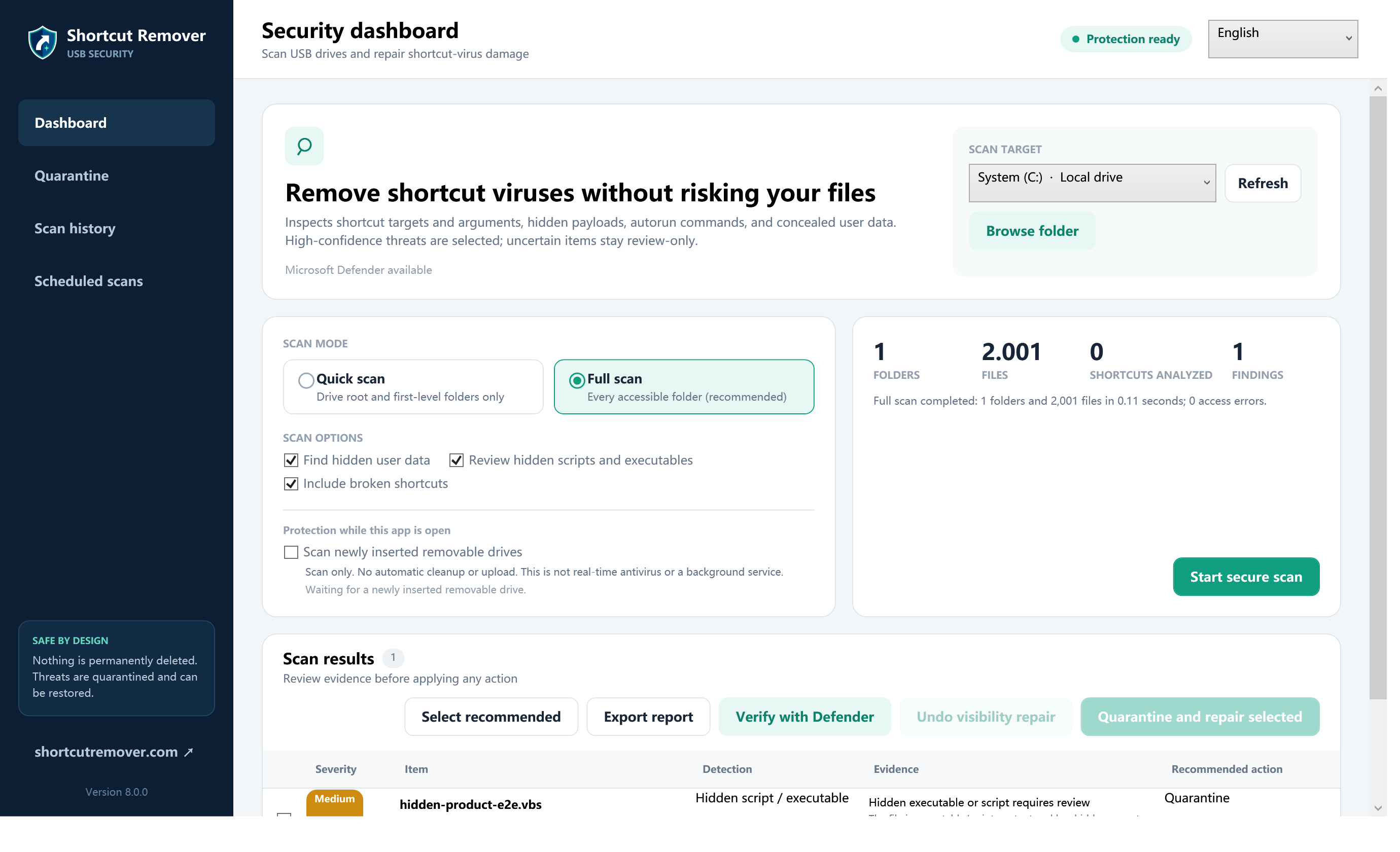
Shortcut Remover 8.0.0 is a free Windows 10 and Windows 11 utility for reviewing Windows shortcut files. It is designed for two related jobs: identifying ordinary broken shortcuts and surfacing suspicious target or argument patterns for human review. This page explains what the current version does, what evidence it shows, and where its limits begin.
What Shortcut Remover scans
- Windows shortcut files in a selected folder or drive.
- Target paths, arguments, working directories, and related shortcut metadata.
- Whether a target can be resolved at scan time.
- Explainable risk signals associated with suspicious launch behavior.
- Coverage counts, access errors, parser failures, reparse-point skips, and safety limits.
What the application can do after review
- Filter results by validity and relevant details.
- Quarantine a reviewed finding with a recovery path.
- Restore a quarantined shortcut when the decision changes.
- Maintain an action history.
- Allow a trusted shortcut through a narrowly scoped rule.
- Repair hidden-file visibility inside the selected path after security scanning.
- Open the appropriate Microsoft Defender verification workflow.
What it does not claim to do
- It is not a replacement for Microsoft Defender or another maintained antivirus product.
- A risk signal is not final malware attribution.
- Deleting a shortcut does not remove a separate script or executable it referenced.
- Visibility repair cannot recreate deleted or corrupted files.
- An incomplete scan with access errors is not reported as complete coverage.
- The current installer is not Authenticode-signed, so Windows may show an Unknown publisher warning.
Recommended workflow
- Download only from the official Shortcut Remover website.
- Verify the published SHA-256 and scan the installer with Windows Security.
- Select the smallest location that contains the shortcut problem.
- Choose quick or full coverage deliberately.
- Review coverage counts and errors before interpreting findings.
- Inspect target and argument reasons before acting.
- Prefer quarantine for uncertain items, then verify with Defender.
Download Shortcut Remover 8.0.0 Read the security design
Evidence behind version 8.0.0
The release passed 327 automated tests. A separate scale gate exercised controlled sets up to 100,000 files, pause and cancellation behavior, deterministic access and parse failures, UI responsiveness, and cleanup. Dedicated root-path tests and a real read-only drive-root scan were added after correcting a volume-root path defect. The methodology and its limitations are published on the testing methodology page.
System requirements
The current release targets 64-bit Windows 10 and Windows 11 and includes the required .NET desktop runtime. It is free to download. See the release notes for the current hash, known limitations, and changes.
Frequently asked questions
Will it remove a USB shortcut virus by itself?
No. Use endpoint protection to address active malware, then use Shortcut Remover to review or quarantine shortcut artifacts and inspect coverage.
Does it automatically delete every broken shortcut?
No. Results are presented for review. A temporarily unavailable network or removable-drive target can look broken.
Why does Windows show Unknown publisher?
The current installer is not code-signed. Verify its SHA-256 and scan it before running; signing remains a planned publisher-trust improvement.